> ## Documentation Index
> Fetch the complete documentation index at: https://docs.neopal.ai/llms.txt
> Use this file to discover all available pages before exploring further.
# Inbox
> The Inbox is where you manage all conversations with your customers — your central hub for sales and support.
### Overview
Here, you act as an overseer while **Neo** takes care of thousands of conversations simultaneously.
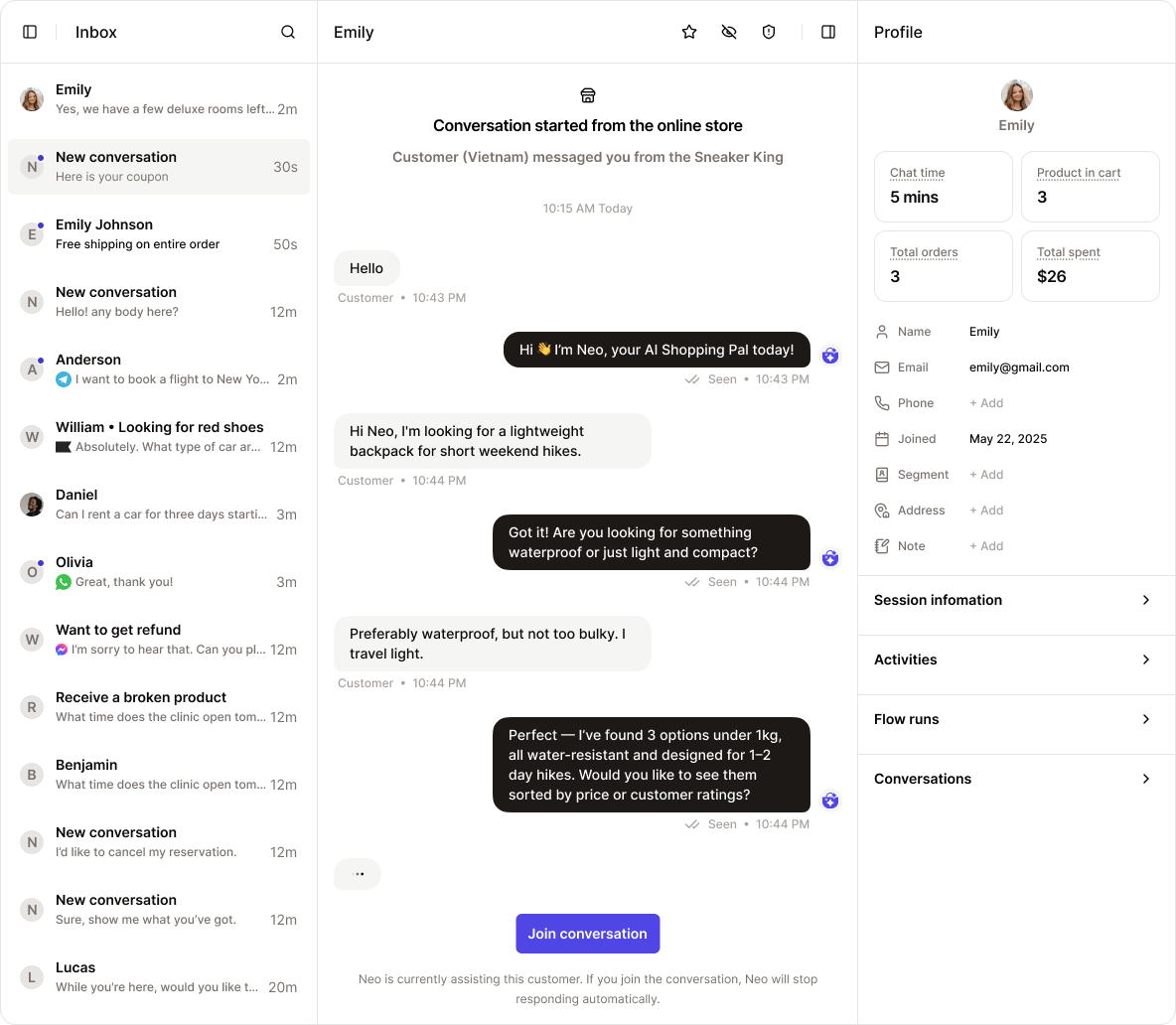 Neo handles customer inquiries, product support, and sales interactions — all in real time — so you can step in only when needed.
### Conversations list
On the left-hand panel, you’ll see a list of all conversations.
Neo handles customer inquiries, product support, and sales interactions — all in real time — so you can step in only when needed.
### Conversations list
On the left-hand panel, you’ll see a list of all conversations.
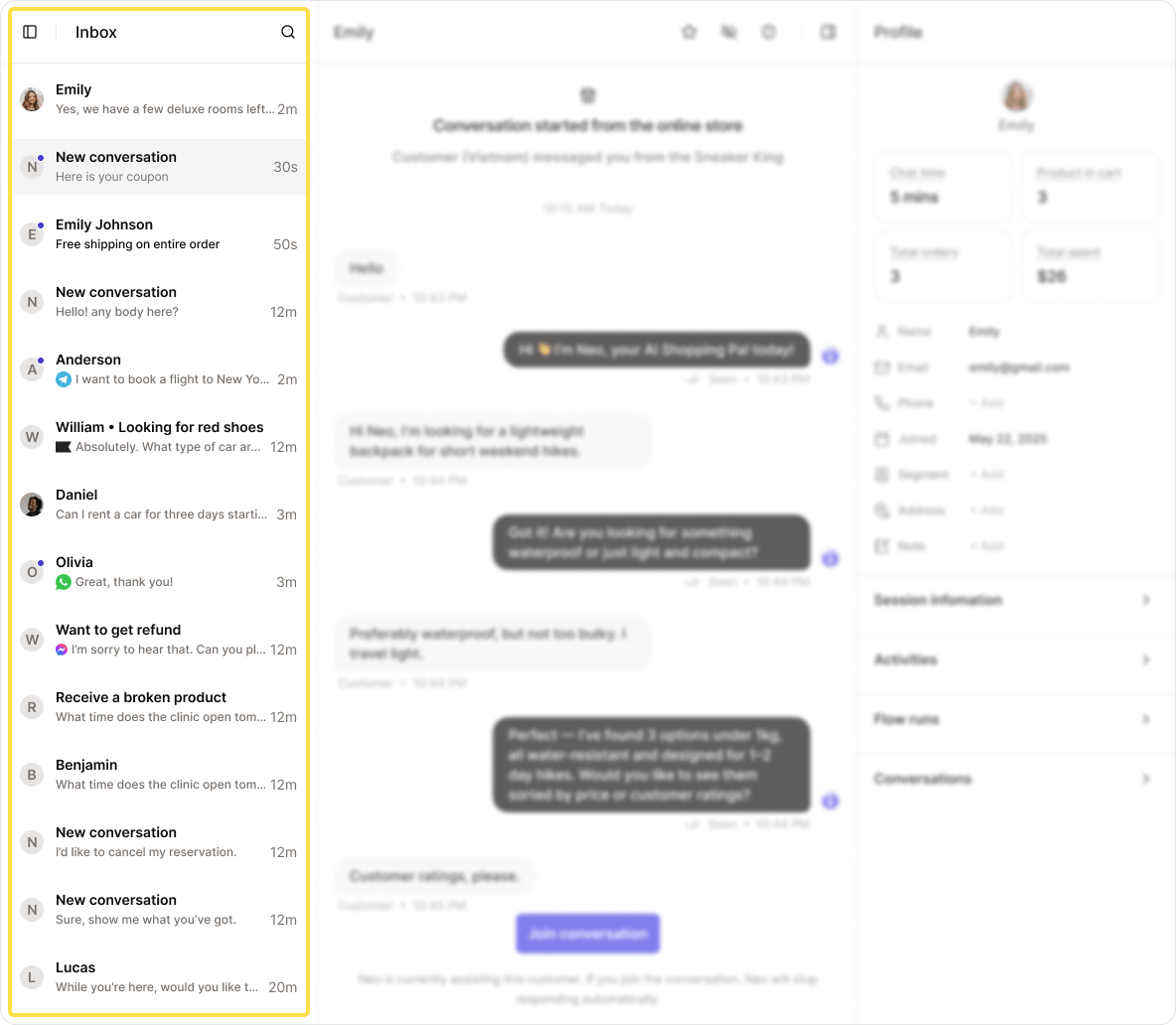 By default, the most recent conversations appear at the top.
You can quickly search or filter conversations using the **Search icon** at the top:
* **Search**: Look up conversations by keyword — whether it’s in the message content, or tied to customer data like name, email, or address.
* **Star**: Filter starred conversations.
* **Unread**: View conversations you haven’t opened yet.
* **Blocked**: Show blocked or restricted conversations.
* **Live**: Filter conversations where the customer is currently online.
* **Active carts**: Show conversations linked to active shopping carts.
* **Checking out**: See conversations where the customer is in the checkout process.
* **Purchased**: Show conversations linked to completed purchases.
### Conversation messages
In the center of the screen, you’ll see the full message thread between Neo and your customer.
By default, the most recent conversations appear at the top.
You can quickly search or filter conversations using the **Search icon** at the top:
* **Search**: Look up conversations by keyword — whether it’s in the message content, or tied to customer data like name, email, or address.
* **Star**: Filter starred conversations.
* **Unread**: View conversations you haven’t opened yet.
* **Blocked**: Show blocked or restricted conversations.
* **Live**: Filter conversations where the customer is currently online.
* **Active carts**: Show conversations linked to active shopping carts.
* **Checking out**: See conversations where the customer is in the checkout process.
* **Purchased**: Show conversations linked to completed purchases.
### Conversation messages
In the center of the screen, you’ll see the full message thread between Neo and your customer.
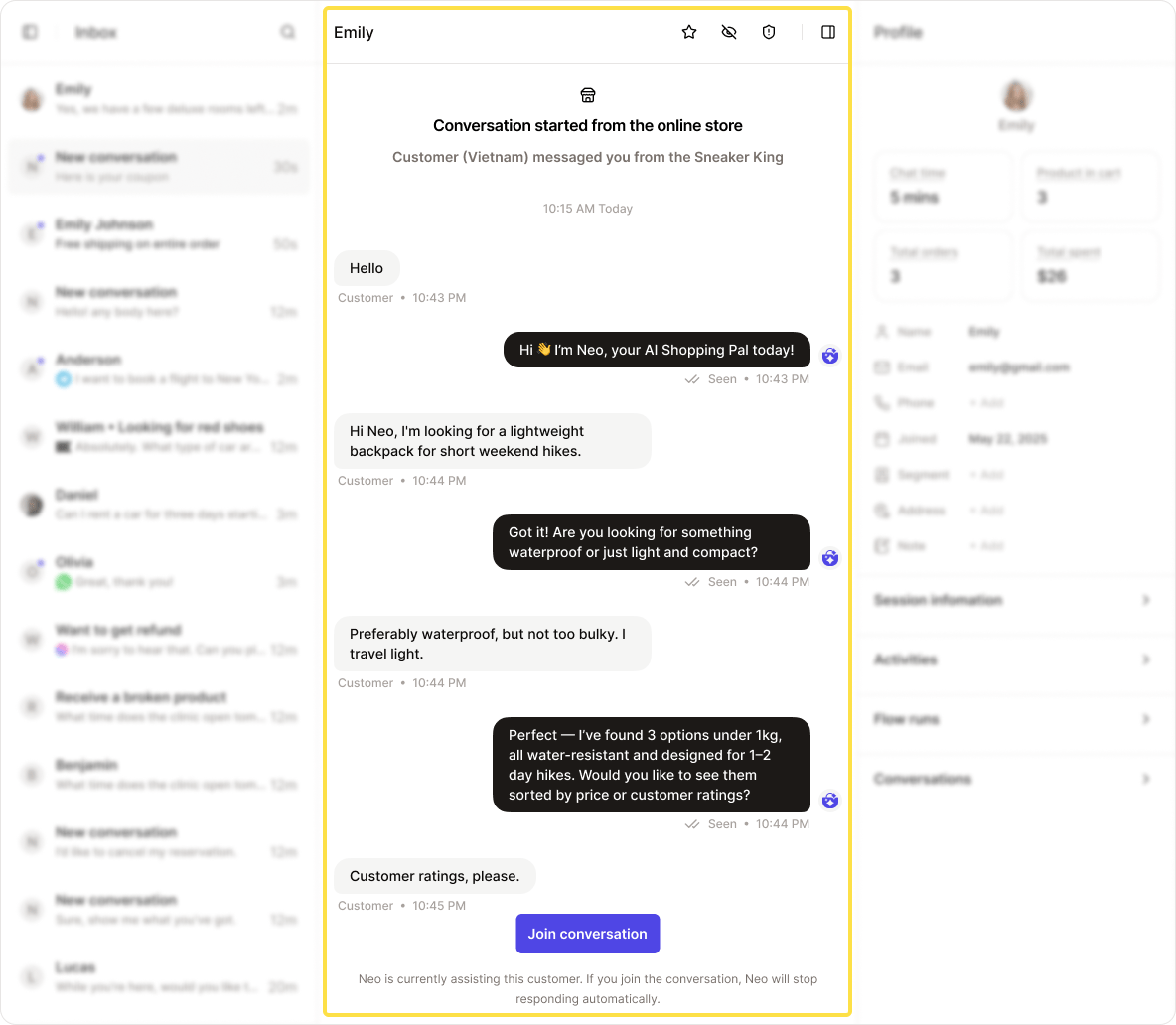 To join a conversation manually, click **Join Conversation**.
> Once you join, Neo will stop replying unless specific automated messages are triggered via **Automation Flows**.
### Contact profile
On the right-hand side, you’ll find a detailed **Contact Profile** — a real-time snapshot of who you’re talking to.
To join a conversation manually, click **Join Conversation**.
> Once you join, Neo will stop replying unless specific automated messages are triggered via **Automation Flows**.
### Contact profile
On the right-hand side, you’ll find a detailed **Contact Profile** — a real-time snapshot of who you’re talking to.
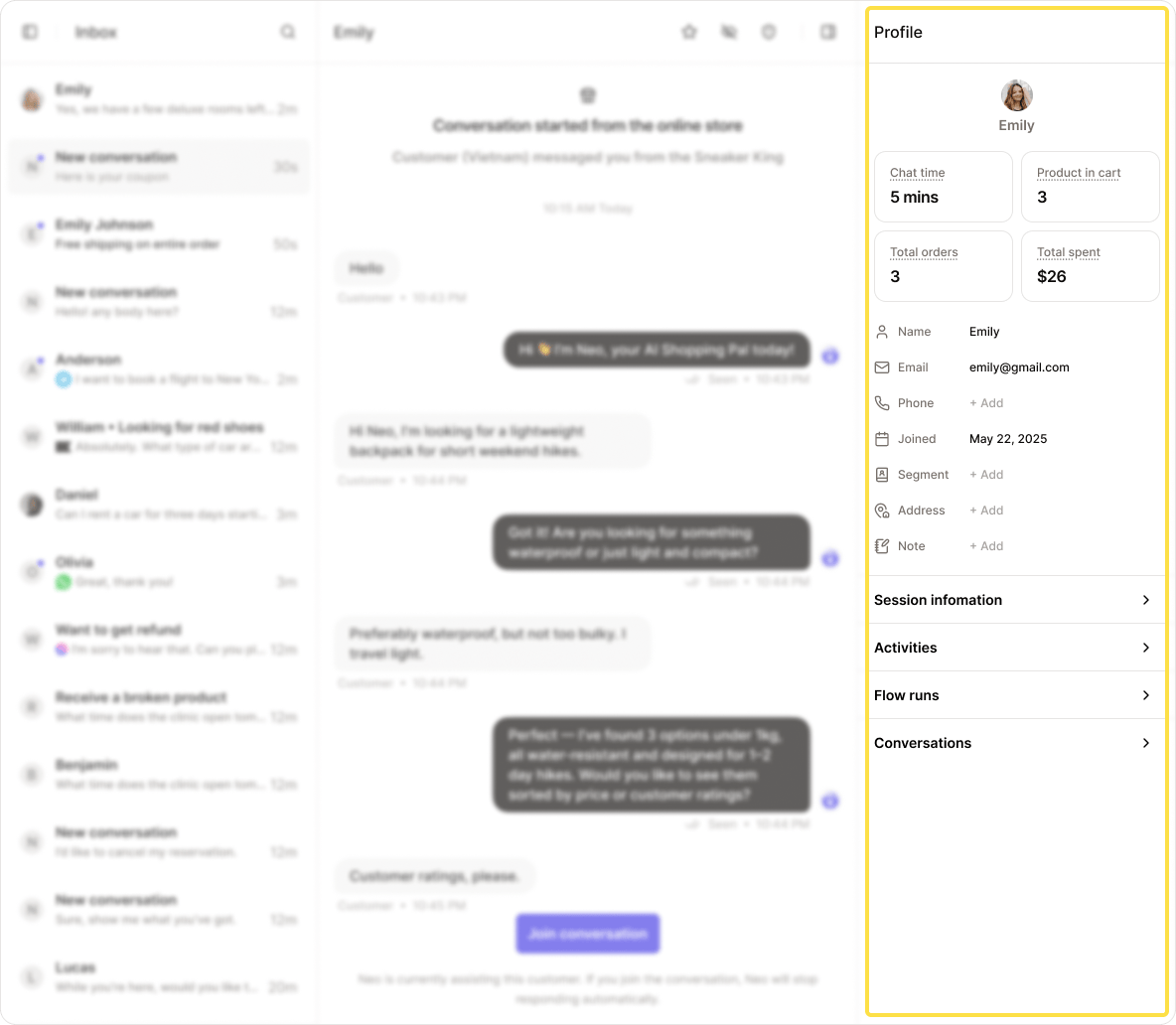 This information helps Neo personalize the conversation by understanding the customer’s needs, personality, and emotions.
**Contact Basic Information**
* **Chat time**: Duration of the current conversation session
* **Product in cart**: Number of products currently in the customer’s cart
* **Total orders**: Number of orders placed in this session
* **Total spent**: Total amount spent in this session
* **Name** / **Email** / **Phone**: Collected via form, email, or entered manually
* **Joined**: When the conversation started
* **Segment**: Customer group (manually assigned or AI-suggested)
* **Address**: Based on form, shipping info, or manually added
* **Note**: Additional notes from you or Neo
### Session information
This information helps Neo personalize the conversation by understanding the customer’s needs, personality, and emotions.
**Contact Basic Information**
* **Chat time**: Duration of the current conversation session
* **Product in cart**: Number of products currently in the customer’s cart
* **Total orders**: Number of orders placed in this session
* **Total spent**: Total amount spent in this session
* **Name** / **Email** / **Phone**: Collected via form, email, or entered manually
* **Joined**: When the conversation started
* **Segment**: Customer group (manually assigned or AI-suggested)
* **Address**: Based on form, shipping info, or manually added
* **Note**: Additional notes from you or Neo
### Session information
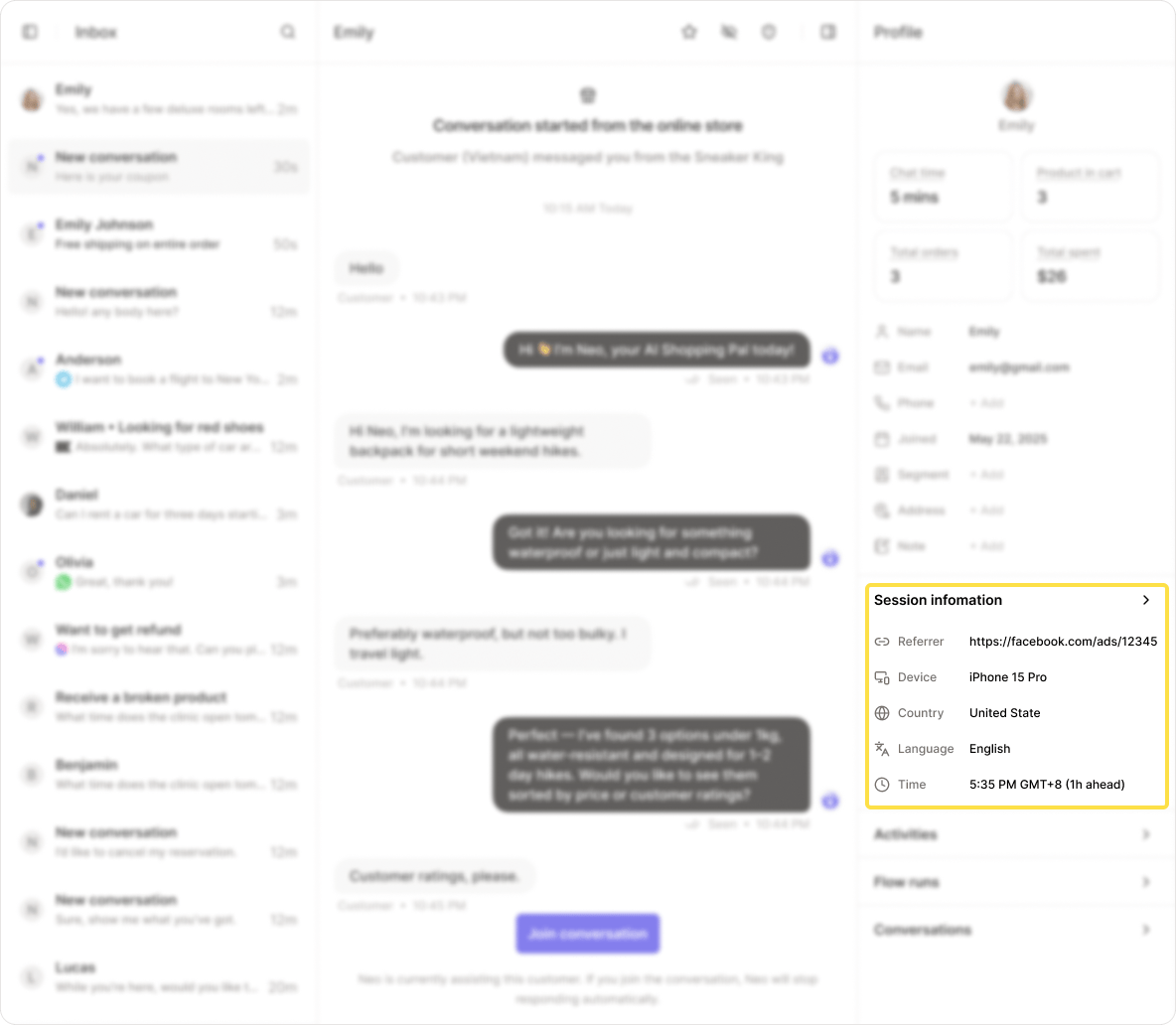 * **Referrer**: Source of traffic (e.g., Google, ad campaign)
* **Device**: Device type (e.g., mobile, desktop)
* **Country**: Determined via IP address
* **Language**: Based on browser or device settings
* **Time**: Local time in the customer’s timezone
### Activities
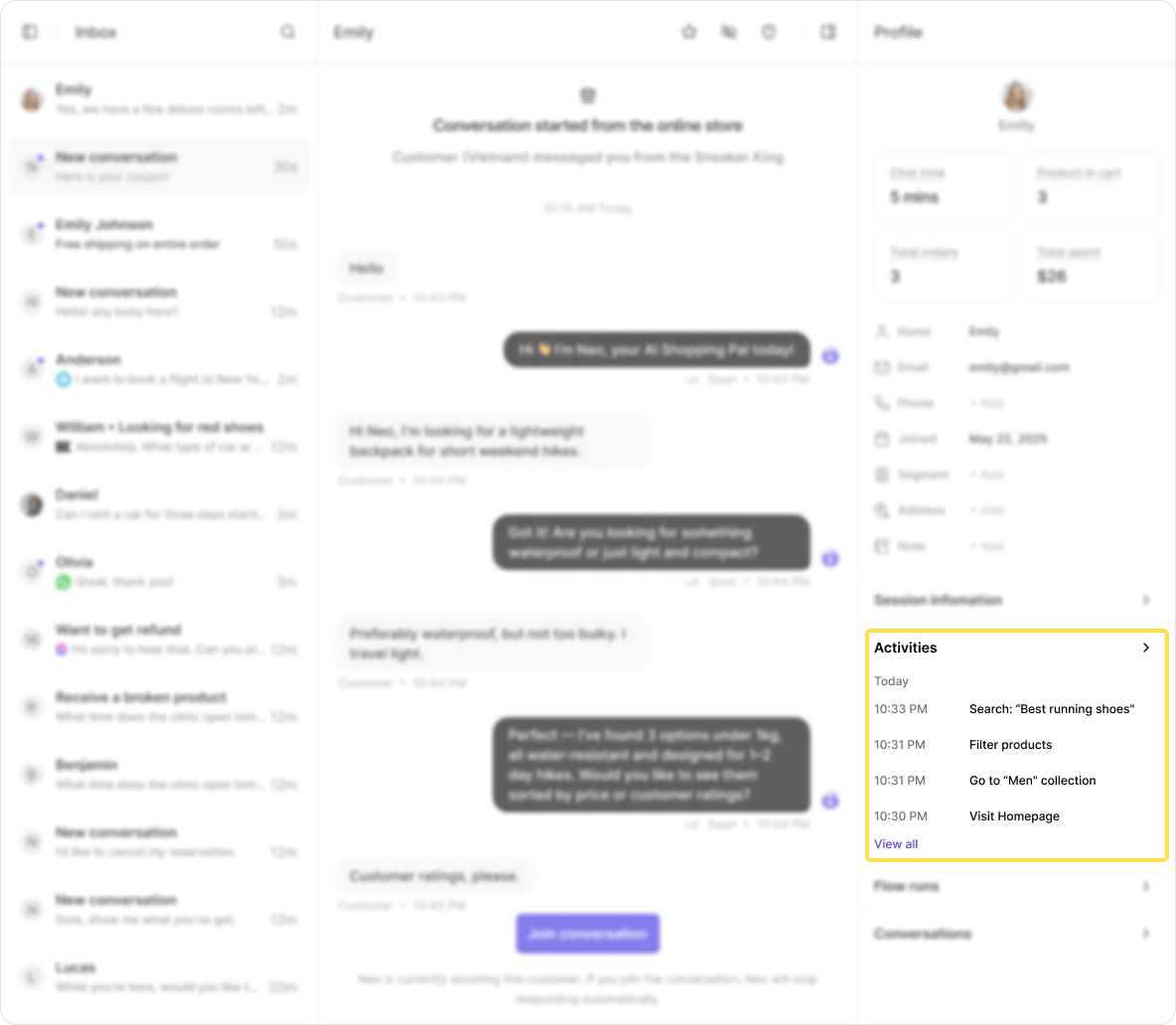
See a detailed list of the customer’s actions on your website — from page views to product interactions — for deeper context during conversations.
* **Referrer**: Source of traffic (e.g., Google, ad campaign)
* **Device**: Device type (e.g., mobile, desktop)
* **Country**: Determined via IP address
* **Language**: Based on browser or device settings
* **Time**: Local time in the customer’s timezone
### Activities
See a detailed list of the customer’s actions on your website — from page views to product interactions — for deeper context during conversations.
 ### Flow runs
Track all **Automation Flows** that have been triggered for this customer.
### Flow runs
Track all **Automation Flows** that have been triggered for this customer.
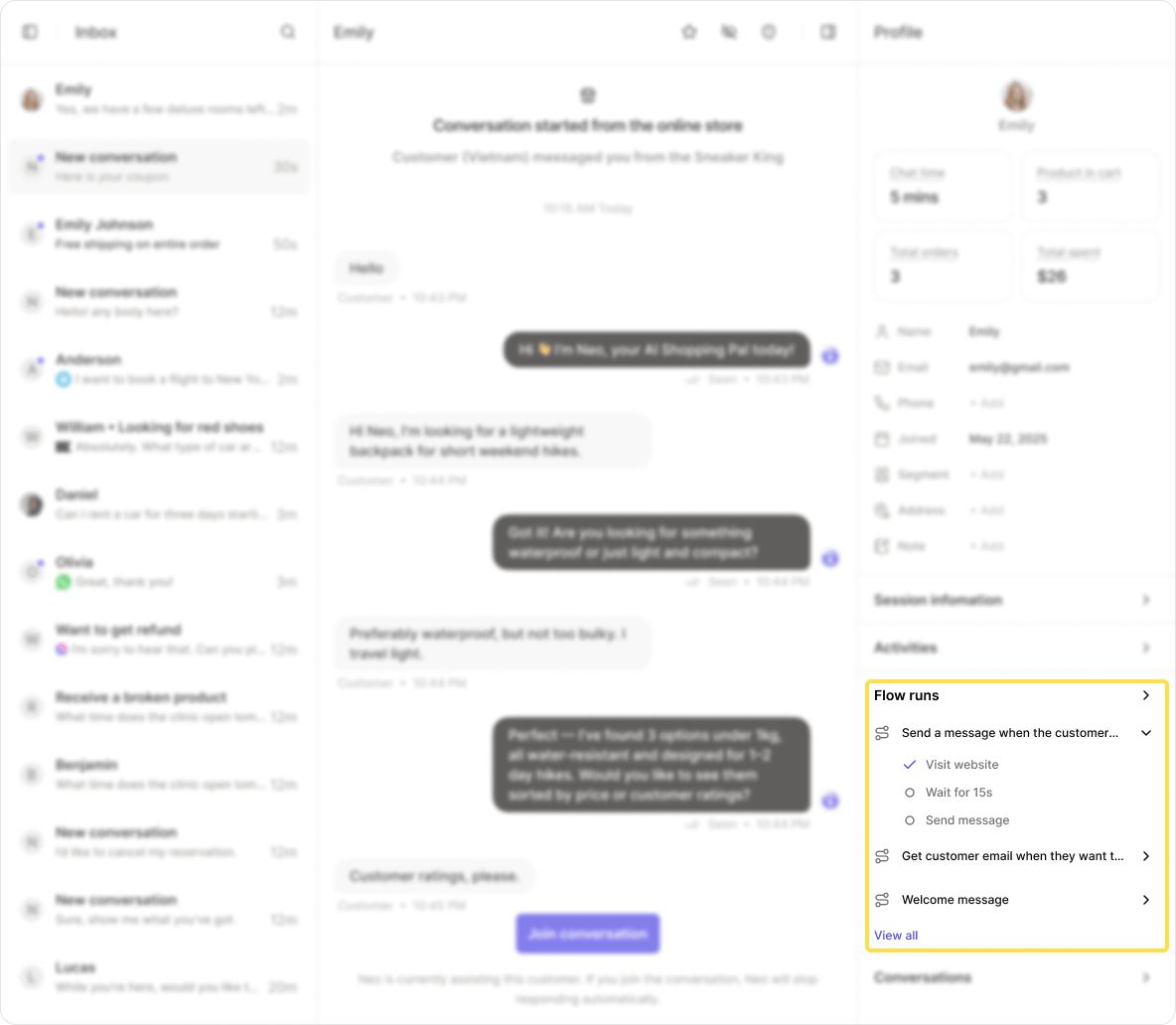 You can monitor the progress of each flow step in real time, helping you understand how automation is performing.
### Conversation history
All past conversations are recorded and linked by visitor identifiers like IP, cookies, email, or account login.
You can monitor the progress of each flow step in real time, helping you understand how automation is performing.
### Conversation history
All past conversations are recorded and linked by visitor identifiers like IP, cookies, email, or account login.
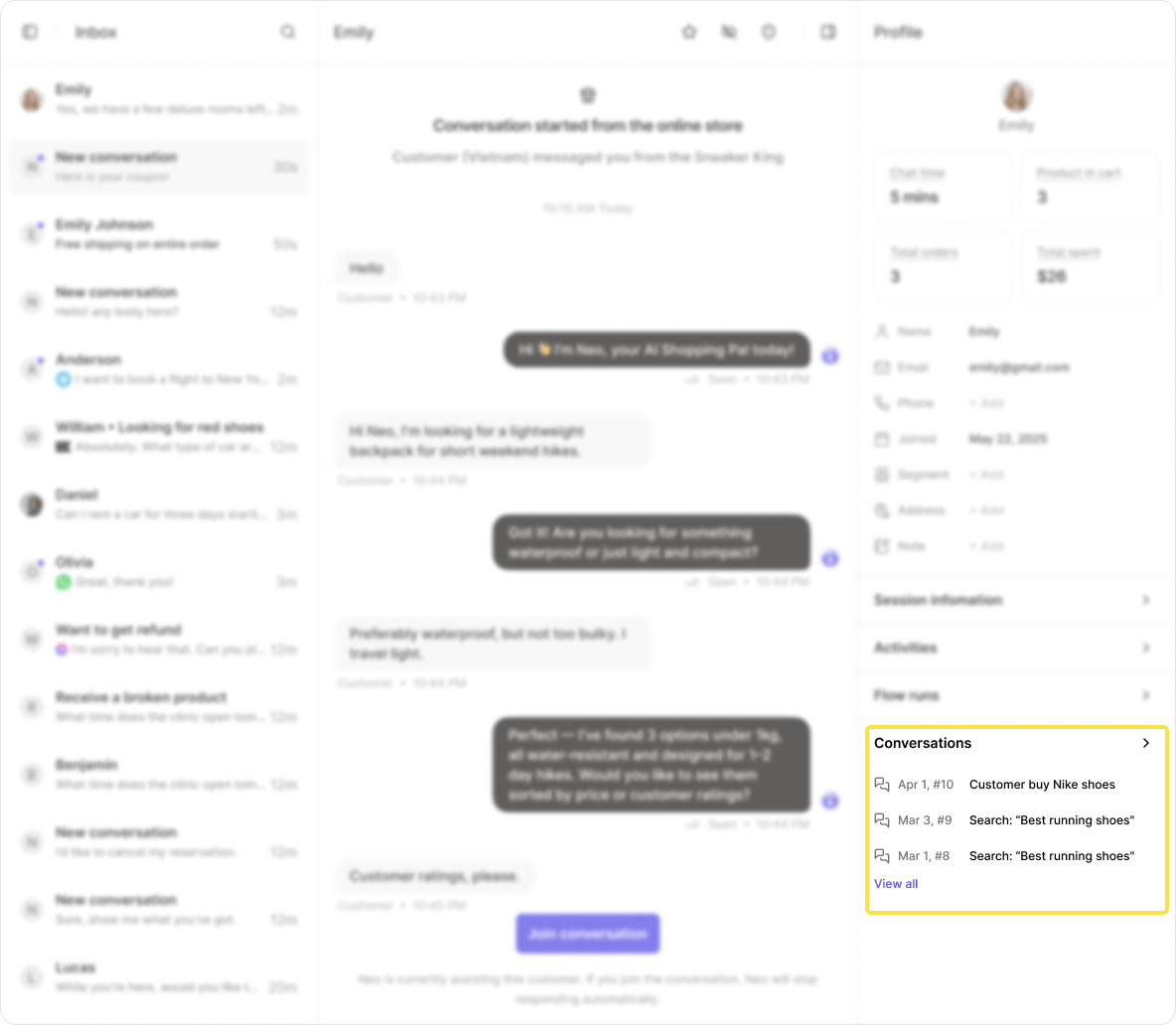 Click on any past conversation to view its full history.