> ## Documentation Index
> Fetch the complete documentation index at: https://docs.neopal.ai/llms.txt
> Use this file to discover all available pages before exploring further.
# Knowledge
> The Knowledge section is where you provide Neo with the essential information it needs to understand your store, including your brand, products, terms, and policies.
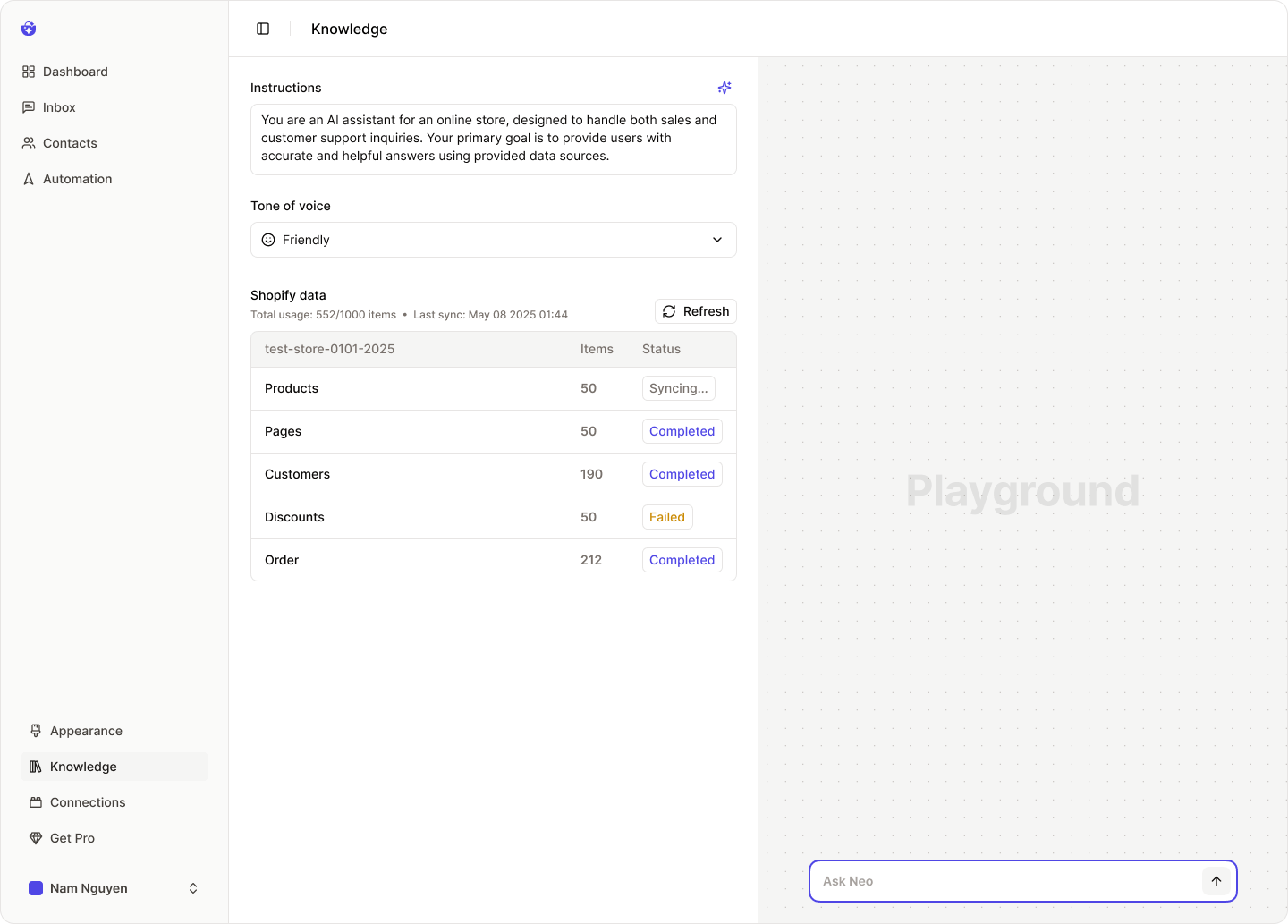 This is how Neo learns to represent your business accurately and assist customers with the right information at the right time.
### Instructions
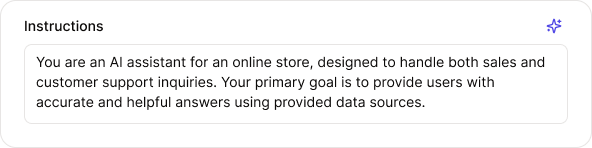
The **Instructions** define Neo’s role in your store. This section outlines:
* What Neo should do
* How it should support your customers
* The communication goals it should aim to achieve
You can write your own instructions or use AI to **generate a tailored version** based on your objectives.
This is how Neo learns to represent your business accurately and assist customers with the right information at the right time.
### Instructions
The **Instructions** define Neo’s role in your store. This section outlines:
* What Neo should do
* How it should support your customers
* The communication goals it should aim to achieve
You can write your own instructions or use AI to **generate a tailored version** based on your objectives.
 ### Tone of Voice
Choose the **tone of voice** that best reflects your brand’s personality. This will affect how Neo communicates with your customers.
Available options include:
* **Friendly** – warm and approachable
* **Professional** – clear and formal
* **Casual** – relaxed and conversational
### Tone of Voice
Choose the **tone of voice** that best reflects your brand’s personality. This will affect how Neo communicates with your customers.
Available options include:
* **Friendly** – warm and approachable
* **Professional** – clear and formal
* **Casual** – relaxed and conversational
 ### Shopify Data
This is Neo’s **primary data source** — it includes your store’s products, collections, policies, and other vital details.
### Shopify Data
This is Neo’s **primary data source** — it includes your store’s products, collections, policies, and other vital details.
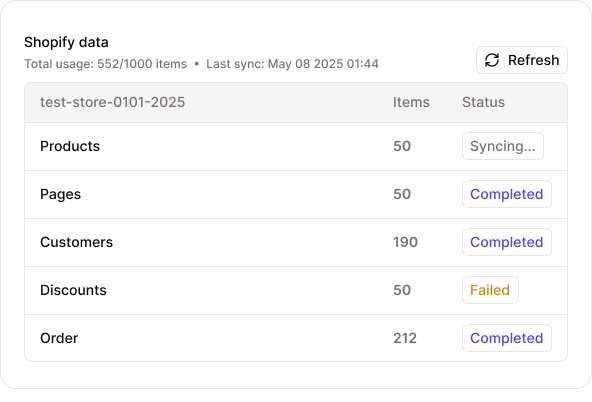 Once you install NeoPal, this data is **automatically synced** with Neo.
In the data dashboard, you can see which data types are currently being used by Neo.
> ⏱ Data is refreshed hourly.
If you need the latest updates immediately, click the “**Refresh**” button.
In some cases, data sync issues may occur (e.g., if the NeoPal app is uninstalled from your Shopify store).
When this happens, click **“Re-connect”** to restore the connection.
Once you install NeoPal, this data is **automatically synced** with Neo.
In the data dashboard, you can see which data types are currently being used by Neo.
> ⏱ Data is refreshed hourly.
If you need the latest updates immediately, click the “**Refresh**” button.
In some cases, data sync issues may occur (e.g., if the NeoPal app is uninstalled from your Shopify store).
When this happens, click **“Re-connect”** to restore the connection.
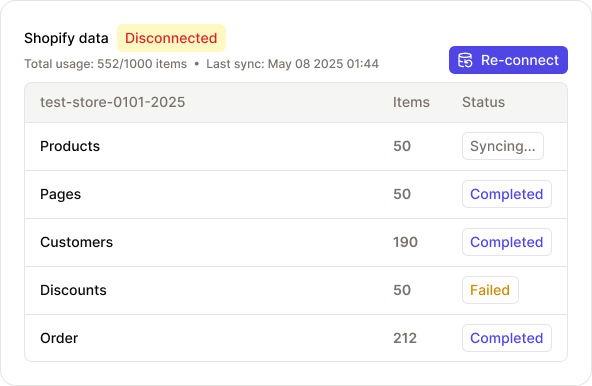 If the problem persists, check the [**NeoPal Community**](https://discord.gg/FWw5wwT2) or contact the [**NeoPal Support Team**](mailto:hi@neopal.ai) for assistance.